Use the individual database records alongside this guide to check the relevant edition, prerequisites and completion targets. A location, vehicle or activity can have different conditions in Story Mode and GTA Online.
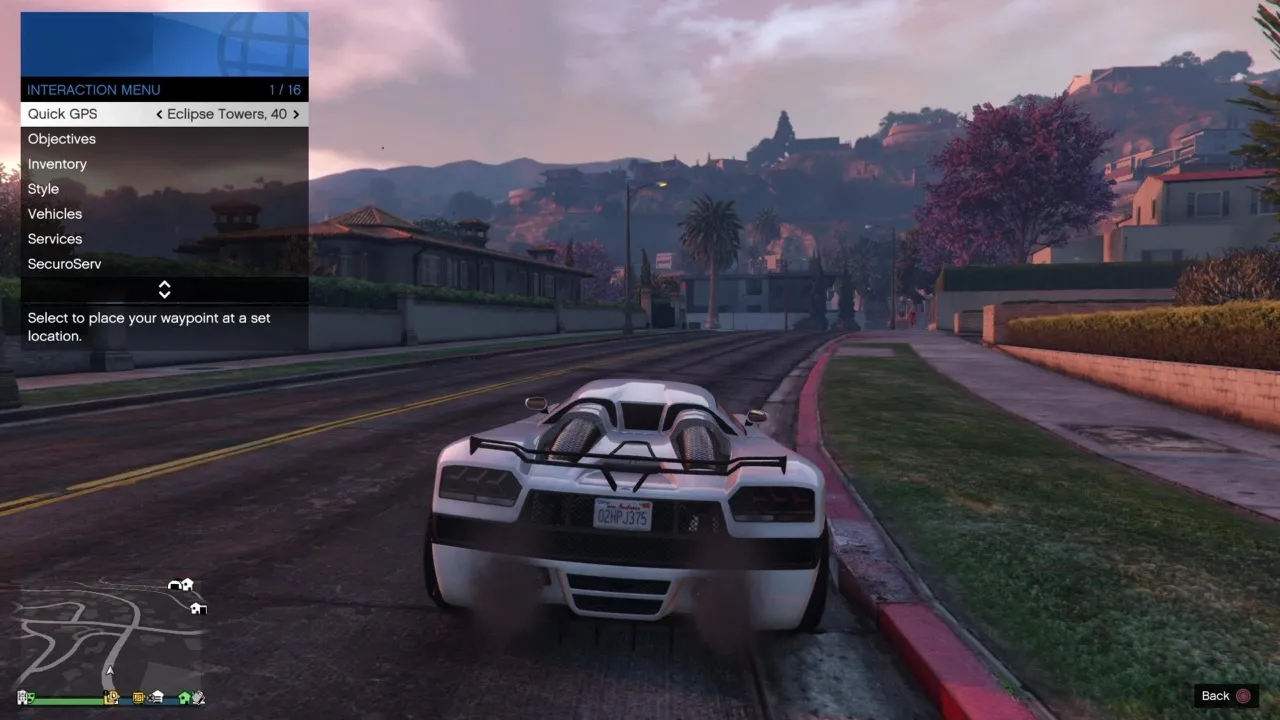
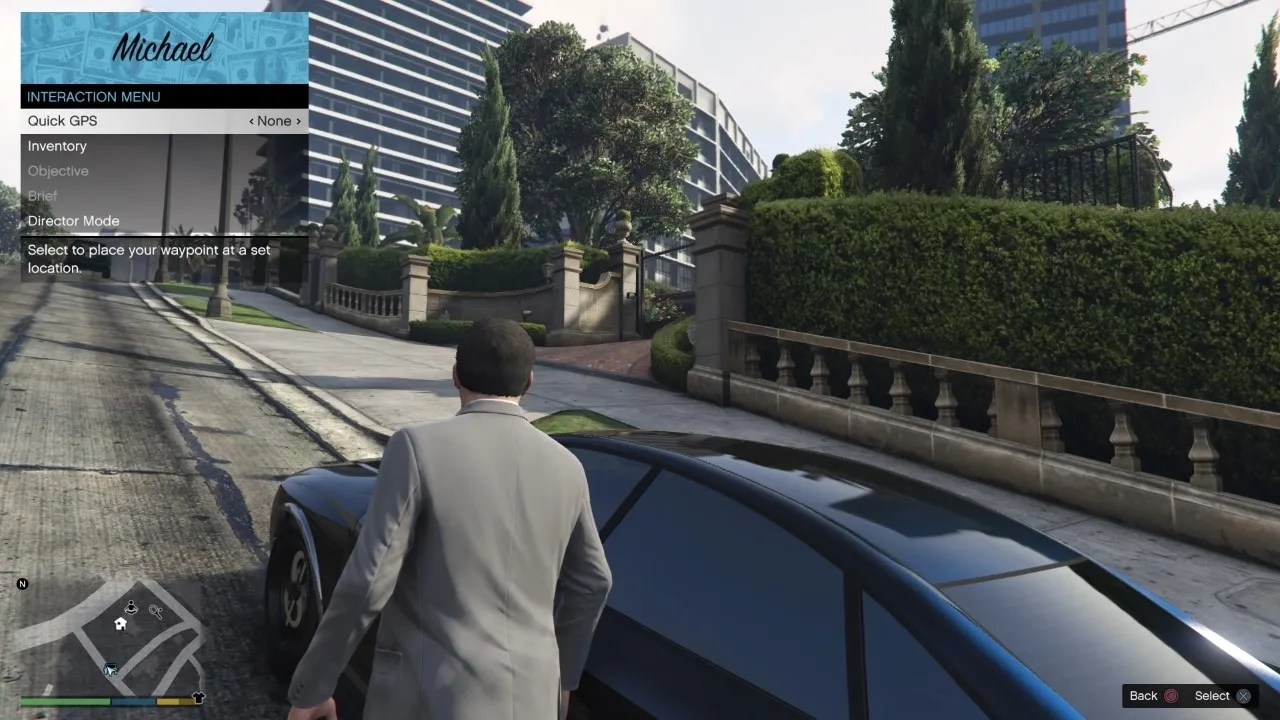
The Interaction Menu provides quick access to GPS, vehicles, health and ammunition, appearance and other Online preferences. The guide was revised for the December 2023 Chop Shop reorganization, so its sections describe that later layout rather than simply preserving the menu as it appeared in 2013.
The opening control differs by platform: the relevant PlayStation touchpad, Xbox View control or PC M key opens the menu under the default controls. Available choices can depend on a player’s properties, active organization and current situation. Registering as a boss, managing service vehicles and changing passive-mode preferences are distinct actions. Follow the named submenu for the task, and check any custom control bindings before assuming a platform’s default button still applies.
Maps & reference images
GTA 5 Interaction Menu: GTA Online Inventory & All Options - Grand Theft Auto V · Source ↗gta 5 interaction menu gta online inventory accessories · Source ↗gta 5 online options pause menu · Source ↗gta 5 interaction menu story mode · Source ↗
Reference table 1
Start An Organization
Register as a CEO or VIP . You must have over $50,000 in your bank to become VIP; or own an Office to become CEO.
Looking for Work
Let potential CEOs and VIPs know that you are available.
Hire Associates
Put an offer out to hire Associates. Options: Nearby | Looking for Work | Friends | Crew | Player | Rival
Management
Choose Associates' clothing, or dismiss poorly performing Associates Options: Name | Style | Friendly Fire | Formation Flying Assist | List of Associates
VIP Work
Choose some criminal work.
VIP Challenges
Challenge your Bodyguards in one of several tests of ability.
CEO Abilities
Use a selection of abilities to improve your Organization's performance. Options: Request Luxury Helicopter | Drop Bullshark | Drop Ammo | Drop Armor | Ghost Organization | Bribe Authorities | Spectate Associates
CEO Vehicles
Request a selection of vehicles to improve your Organization's performance.
Retire
End CEO Protection contract.
Reference table 2
Start a Motorcycle Club
Become President of your own Motorcycle Club
Looking for an MC
Let potential MC Presidents know that you are available.
Request Motorcycle
Get the mechanic to deliver your Motorcycle
Find Prospects
Invite players to join your Motorcycle Club.
Manage MC
Choose a style for your MC, assign Member roles, or select a riding formation. Options: Name | Members | MC Style | Friendly Fire | Race to Objective | Riding Style | Riding Formation | Riding Formation Assist | Formation Flying Assist
Club Work
Select a Job for your Motorcycle Club
Club Challenges
Challenge your MC Members in one of several tests of ability.
Disband MC
Disband your Motorcycle Club and retire all Members.
Reference table 3
Request Personal Vehicle
Get the mechanic to deliver your currently active Personal Vehicle.
Request Personal Aircraft
Call in your Personal Aircraft.
Request Special Vehicle
Get the mechanic to deliver your selected Special Vehicle.
Remote Control Vehicles
Request and drive different remove control vehicles. Options: Nano Drone | RC Bandito | RC Tank | RC Personal Vehicle
Request Anti-Aircraft Trailer
Get the mechanic to deliver your Anti-Aircraft Trailer.
Return Personal Vehicle to Storage
Return your Personal Vehicle to storage.
Vehicle organization
PS5 and Xbox Series X|S Exclusive: Move your vehicles between your owned garages.
Reference table 4
Empty Personal Vehicle
Make all players leave your Personal Vehicle.
Vehicle Access
Set who is allowed access to your personal vehicle. Options: No-one | Passengers | Everyone | Crew | Friends | Crew + Friends
Vehicle Doors
Select which door of your Personal Vehicle to open and close Options: None | Front Left | Front Right | Rear Left | Rear Right | Hood | Trunk | All
Vehicle Roof
Raise or lower the roof of your Personal Vehicle Options: Up | Down
Vehicle Stance
Select the stance of your Personal Vehicle Options: Default | Lowered
Vehicle Hydraulics
Enable your Personal Vehicle's hydraulics Options: Off | Front | Rear | All
Vehicle Remote Functions
Select to adjust vehicle engine, lights, and radio options. Includes: Engine | Headlights | Neon Lights | Radio
Vehicle Bomb Bay Control
Set who is able to control dropping bombs on applicable Personal Aircraft . Options: Pilot | Co-Pilot
Vehicle Countermeasure Control
Set who can control deploying countermeasures in applicable Personal Aircraft. Options: Pilot | Co-Pilot
Reference table 5
Galaxy Super Yacht
Make use of the facilities offered by your Yacht Options: Sound Horn | Yacht Defenses | Defense Exclusions | Yacht Vehicle Access | Yacht Access | Hot Tub Clothing
Mobile Operations Center
Make use of the facilities offered by the Mobile Operations Center Options: Request MOC | Return to Storage | Request Personal Vehicle | Cab Access | Empty Cab | Empty Trailer | Radio
Avenger
Make use of the facilities offered by the Avenger Options: Request Avenger| Return to Storage | Engage Autopilot | Cockpit Access | Empty Cockpit | Empty Hold | Radio
Terrorbyte
Make use of the facilities offered by the Terrorbyte Options: Request Terrorbyte | Return to Storage | Request Oppressor Mk II | Cab Access | Empty Cab | Empty Nerve Center | Radio
Kosatka
Make use of the facilities offered by the Kosatka Options: Request Kosatka | Request Vehicle | Request Dinghy | Return Options | Access Options | Empty Options | Scuba Gear
Acid Lab
Make use of the facilities offered by the Acid Lab Options: Request Acid Lab | Request Delivery Bike| Return Options | Cab Access | Empty Lab| Radio | Lab Name
Reference table 6
Ammo
Buy ammo on the go. A convenience charge is included in the cost of ammo purchased through the menu. Options: Ammo Type | Weapon | Rounds x24 | Full Ammo
Body Armor
Use any of the stored body armor you have purchased to refill your armor bar. Options: Super Light Armor | Light Armor | Standard Armor | Heavy Armor | Super Heavy Armor | Equip Armor | Auto Equip Armor You can also select the armor type to wear, and whether or not the armor is automatically shown when purchased.
Snacks
Look through and use held snacks, drinks, and smokes. Eating snacks refills your health bar. Options: P's & Q's | Ego Chaser | Meteorite | eCola | Pisswasser | Smokes
Ballistic Equipment Services
Request Ballistic Equipment Crate Drop ($5,000), or remove your existing Ballistic Equipment. Available after purchasing the Ballistic Equipment from Warstock Cache and Carry.
Enable Custom Weapon Loadout
Use the custom weapon loadout preferences you've set in your Gun Locker inside one of your properties.
Reference table 7
Change Appearance
Change your GTA Online character's appearance ($100,000)
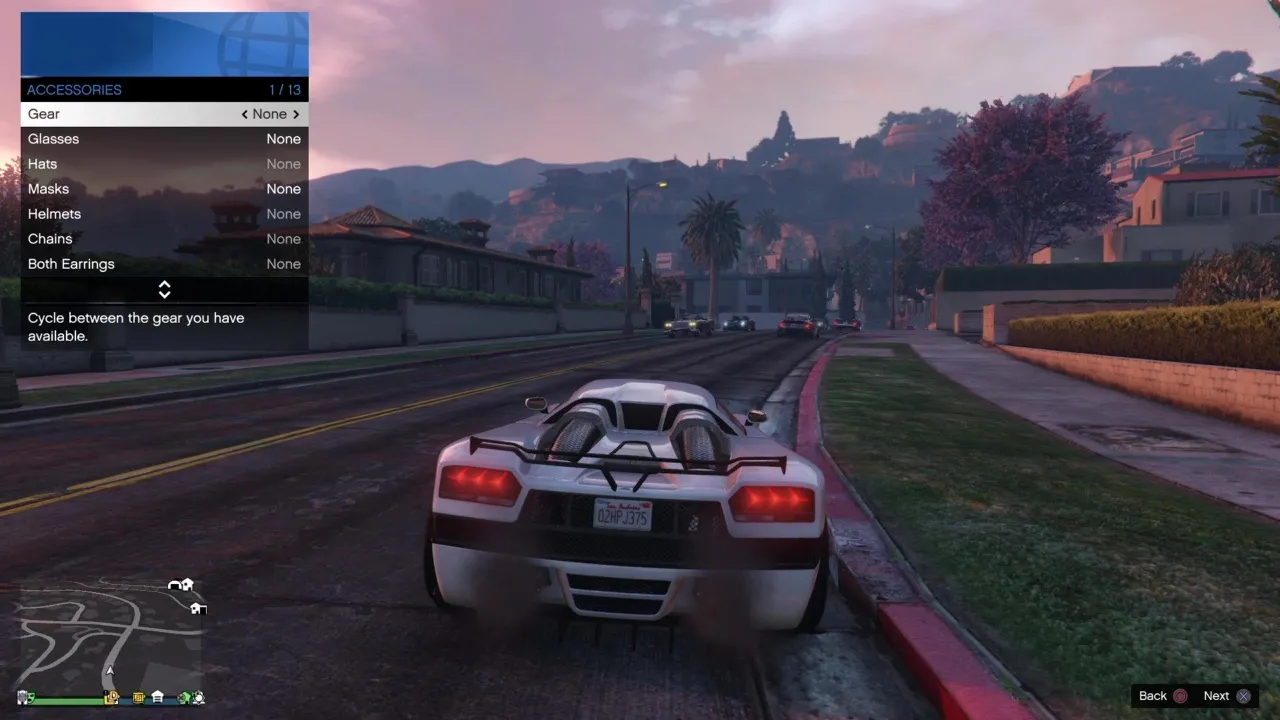
Accessories
Cycle between the accessories and gears you have available to change your look. Options: Gear | Glasses | Hats | Masks | Helmets | Watches | Chains | Earrings | Scarves | Wrist | Gloves Gear Includes: Rebreather | Night Vision | Gas Mask | Gray Earpiece | Red Earpiece | LCD Earpiece
Parachute
Contains options that allow you to change your parachute appearance. Options: Show Parachute | Smoke Trails | Bag | Primary | Reserve
Outfit
Select a saved outfit to wear, among your 20 saved custom outfits.
Stunt Racing Outfit
Select a saved outfit to wear during races.
Bike Helmet
Set an owned helmet to equip when riding in free mode and races.
Helmet Visor
Have the visor down for certain helmets. Options: Visor Up | Visor Down
Auto Equip Bike Helmet
Sets whether or not a helmet is automatically put on when using a bike. Options: On | Off
Auto Equip Aircraft Helmet
Sets whether or not a helmet is automatically put on when using an aircraft. Options: On | Off
Illuminated Clothing
Set the type of glow applied to illuminated clothing items. Options: On | Flash | Pulse | Off
Hood
You are able to set your character's hood style while wearing certain hoods. Options: Up | Down
Jacket
You are able to set your character's jacket style while wearing certain jackets. Options: Opened | Closed
Action
Cycles through the Character Actions menu to be stored as your Quickplay Action. Press or hold the Quickplay Action button to alter how you will perform this action.
Dance Style
Set your dance style.
Dance Partner
Set who can be your dance partner. Options: No-one | Everyone | Crew | Friends | Crew + Friends | Organization
Expression
Set your character's facial expression. Options: Aiming | Angry | Happy | Injured | Normal | Stressed | Smug | Sulking
Walk Style
Set your character's walking style. Options: Normal | Femme | Gangster | Posh | Tough Guy | Grooving
Reference table 8
Daily Challenges
A list of your current 3 random Daily Objectives with checkboxes showing progress.
Weekly Challenge
Your challenge to complete this week.
Reference table 9
Collectibles
Keep track of the collectibles you've found hidden around Los Santos Includes: Playing Cards | Action Figures | Signal Jammers | Movie Props
Daily Collectibles
Daily collectibles you've found hidden around Los Santos Includes: Hidden Caches | Treasure Chests | Shipwrecks
Discount Vouchers
View time-limited discounts you have obtained from The Diamond Casino & Resort, or the LS Car Meet.
Reference table 10
Spawn Location
Select your spawn location for the next time you enter GTA Online. Options: Last Location | Random | Property 1 | Property 2 | Property 3 | etc... (all your Properties are listed)
Phone Contact Favorites
Choose to hide or show contacts in your phone Contacts
Radio Station Favorites
Choose your favorite radio stations you have access to while in a vehicle.
Media Player
Cycle between found media sticks that contain music (EPs, mixtapes, live recording & more) to play in the "Media Player".
Voice Chat
Set voice chat preferences (who you can hear and who can hear you) in Free Mode. Does not affect mission chat. Options: No-One | Everyone | Crew | Friends | Crew + Friends
Player Targeting Priority
Set the player targeting mode. Options: Everyone: Treats all players (Friends and non-Friends) as threats. Strangers: Treat all non-Friend players as threats. Attackers: Treat all non-Friend players who damage you as threats.
Highlight Player on Radar
Brings up the player list to enable a particular player to be highlighted by flashing their icon on the map.
Music Locker Strobes
Set strobe lighting in The Music Locker. Options: On | Off
Map Blip Options
Choose to hide or show specific the blips for specific content in GTA Online. Options: Series | Jobs | Activities | Rival Gameplay | Properties | Stores | Events
Reference table 11
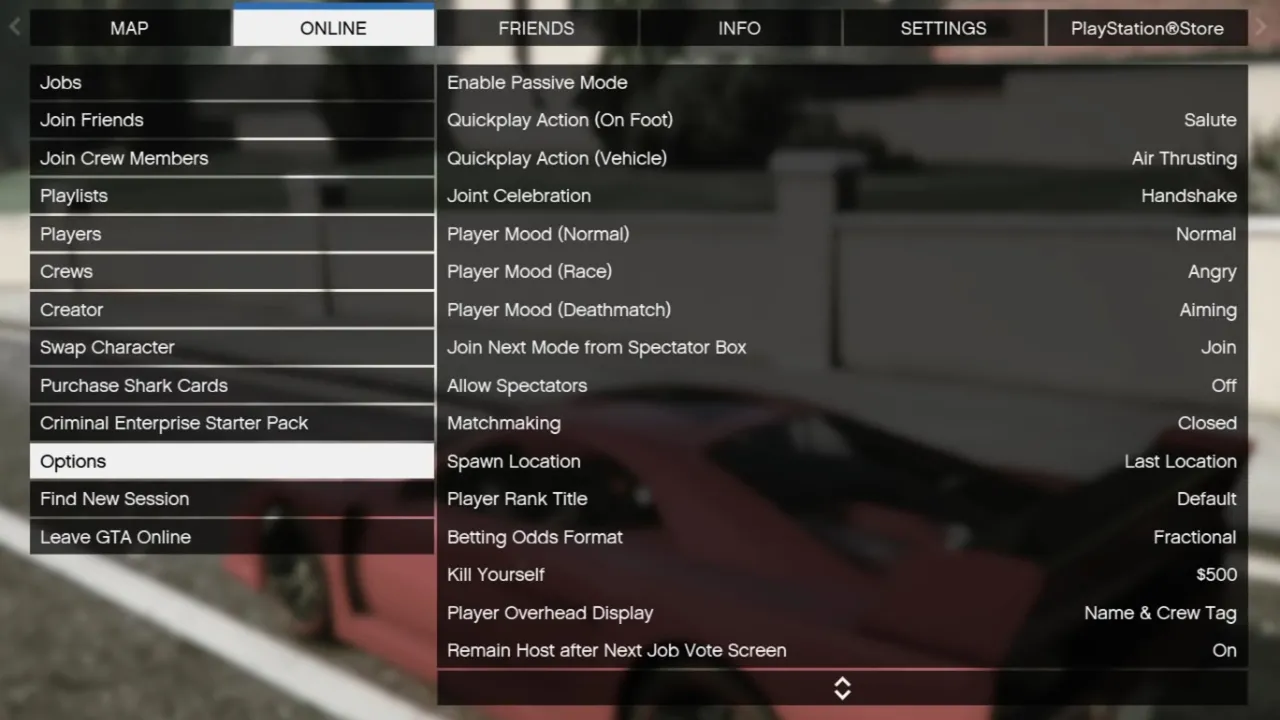
Enable Passive Mode
Turn on Passive Mode to prevent damage between you and other players.
Quickplay Action (on Foot)
Select the Quickplay Action you will play when one foot.
Quickplay Action (Vehicle)
Select the Quickplay Action you will play when using a vehicle.
Joint Celebration
Select your Joint Celebration action.
Player Mood (Normal)
Select your mood.
Player Mood (Race)
Select your mood for Races.
Player Mood (Deathmatch)
Select your mood for Deathmatches.
Join Next Mode from Spectator Box
Select to join the next available mode or remain in Spectator Box.
Allow Spectators
Select your spectator preference.
Matchmaking
Determines whether a player can use Quick Job to join a Job that you are hosting.
Spawn Location
Select your spawn location for the next time you enter GTA Online.
Player Rank Title
Select the source of your Rank Title across GTA Online. Options: Default | Crew
Betting Odds Format
Select the format of betting odds within GTA Online. Options: Fractional | Decimal | Moneyline
Kill Yourself
Commit suicide if you want to get out of a situation (costs $500). ‘Kill Yourself’ has a 5-minute cooldown, and is unavailable for 1 minute after killing another player.
Player Overhead Display
Select your player overhead display preference, seen when targeting another player. Options: None | Nickname | Nickname & Crew Tag | Marker Only
Remain Host after Next Job Vote Screen
Turn this option on to remain host when matchmaking after a Next Job Vote Screen. This option only comes into effect when you are the host of a Job.
Filter Quick Job Content
Set your Quick Job content preference. Options: Any | Rockstar Created Only | User Created Only
One on One DM Time
Set the length of time (in minutes) a One on One Deathmatch started by you will last. Options: 5 | 10 | 15 | 20 | 30 | 45 minutes
Read the game and edition listed in the facts panel before applying gameplay advice. Story outcomes are marked as spoilers. Read our corrections policy.