
The briefing
This guide records idle-session methods tested around June 20, 2025, after Money Fronts changed the familiar taxi workaround. The normal inactivity timer was approximately 15 minutes. The strongest test described in the source was on PS5; reports from other platforms had a different evidence basis, so the guide should not be read as a universal platform promise.
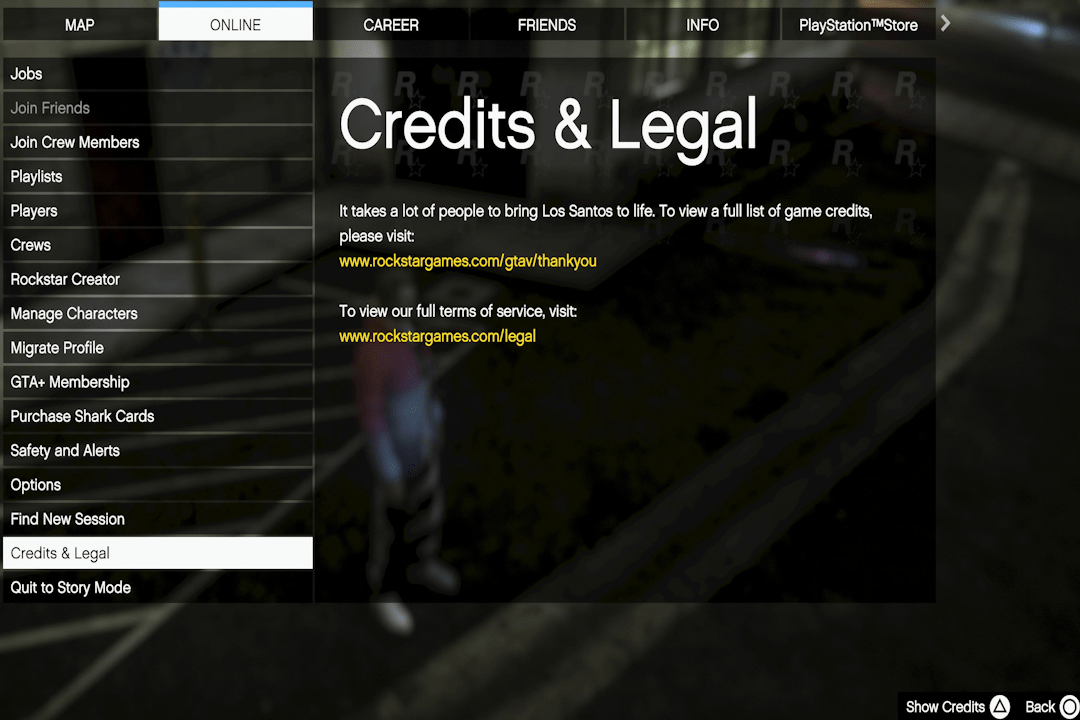
For the credits method, first move to a safe place, preferably an Invite Only session. Open the game’s Credits & Legal menu, select Show Credits, and use the on-screen Slower command until the credits stop moving. The reported result was a session that remained open while that screen was left undisturbed.
This technique depends on game behavior that Rockstar can change. A later patch may invalidate it even when the menu steps remain available. The source also discusses controller-based approaches, but physically holding a stick with a rubber band introduces wear and inconsistent input; the dated credits method is the clearer documented procedure.
Maps & reference images




Sources & further reading
Read the game and edition listed in the facts panel before applying gameplay advice. Story outcomes are marked as spoilers. Read our corrections policy.