The briefing
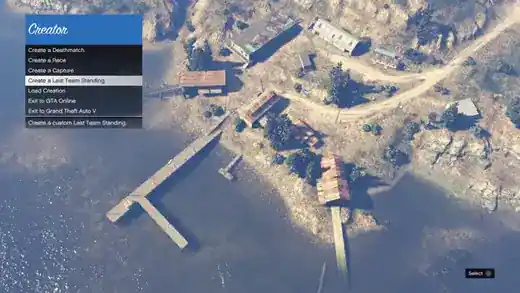
Rockstar Creator lets players build and publish supported custom jobs. Start from the intended game mode, choose an area that fits its player count and then place the checkpoints, spawns, objectives or actors that define the session.
Test the full job before publishing. For races, check checkpoint direction and recovery from a missed turn; for combat jobs, inspect spawn safety, sightlines and whether either team receives an unintended advantage.
The available tools depend on the game version and updates. Use clear names and a useful preview image, then revise the job after players reveal problems the initial test missed.
Mission, location & feature reference
Explore the individual variants, requirements, objective sequences and reference tables. Price and reward figures describe the cited record; current discounts, event bonuses and platform availability may differ.
Available Job Types
Objective sequence
- Open Wheel Races : added with Update 1.51 (August 11, 2020)
- Deathmatch : added with Update 1.07 (December 10, 2013)
- Team Deathmatch : added with Update 1.07 (December 10, 2013)
- Standard Races : added with Update 1.07 (December 10, 2013)
- Capture : added with Update 1.12 (April 11, 2014)
- Last Team Standing : added with Update 1.12 (April 11, 2014)
- Stunt Races : added with Update 1.35 (August 2, 2016)
- Transform Races : added with Update 1.41 (November 28, 2017)
- Target Assault Races : added with Update 1.43 (June 5, 2018)
- Arena War : added with Update 1.46 (February 28, 2019)
- Survival : added with Update 1.47 (November 14, 2019)
GTA Online Creator Tutorial
Objective sequence
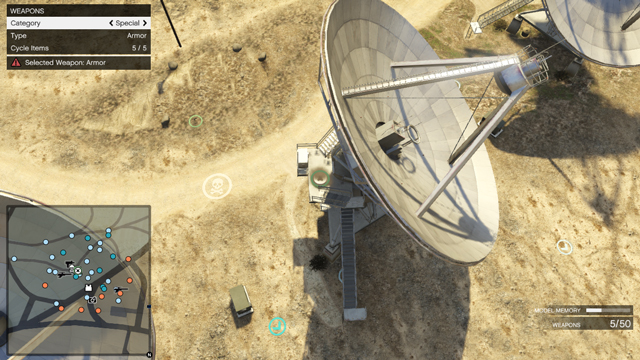
- Enter Creator Mode In GTA Online, pause the game, navigate to Online > Creator from the menu.
- Use descriptive names, tags, and a good thumbnail so players find your job.
- You must complete a valid test before publishing any Job.
Sources & further reading
Read the game and edition listed in the facts panel before applying gameplay advice. Story outcomes are marked as spoilers. Read our corrections policy.